 QUOTE HAPPENS
THE EVERYDAY QUOTING TOOL
Job price & profit calculator
Free job pricing calculator for contractors and service businesses. Enter material, labor and overhead costs to calculate a quote and estimated profit.
01 Enter your job costs
Amounts are shown in USD. Changing language does not convert currency.
PRICE TO HIT YOUR MARGIN
At a 25% target margin · before sales tax
Customer-ready PDF quote · $1 USD
Profit is after the labor cost you entered and before income tax. Profit per hour is not your hourly pay.
AN OPTIONAL CUSTOMER-READY PDF
A customer-ready quote PDF for $1
$1 USD per finalized PDF · no subscription
Your business, customer, scope and quote total in one clean PDF. English or Spanish. The calculator stays free.
How to get your PDF
- Prepare your quote below. Check the calculator’s target price.
- Pay $1 on Payhip in a new tab. Copy the license key from your purchase page or email.
- Return to this open tab, paste the key, then review and download your PDF.
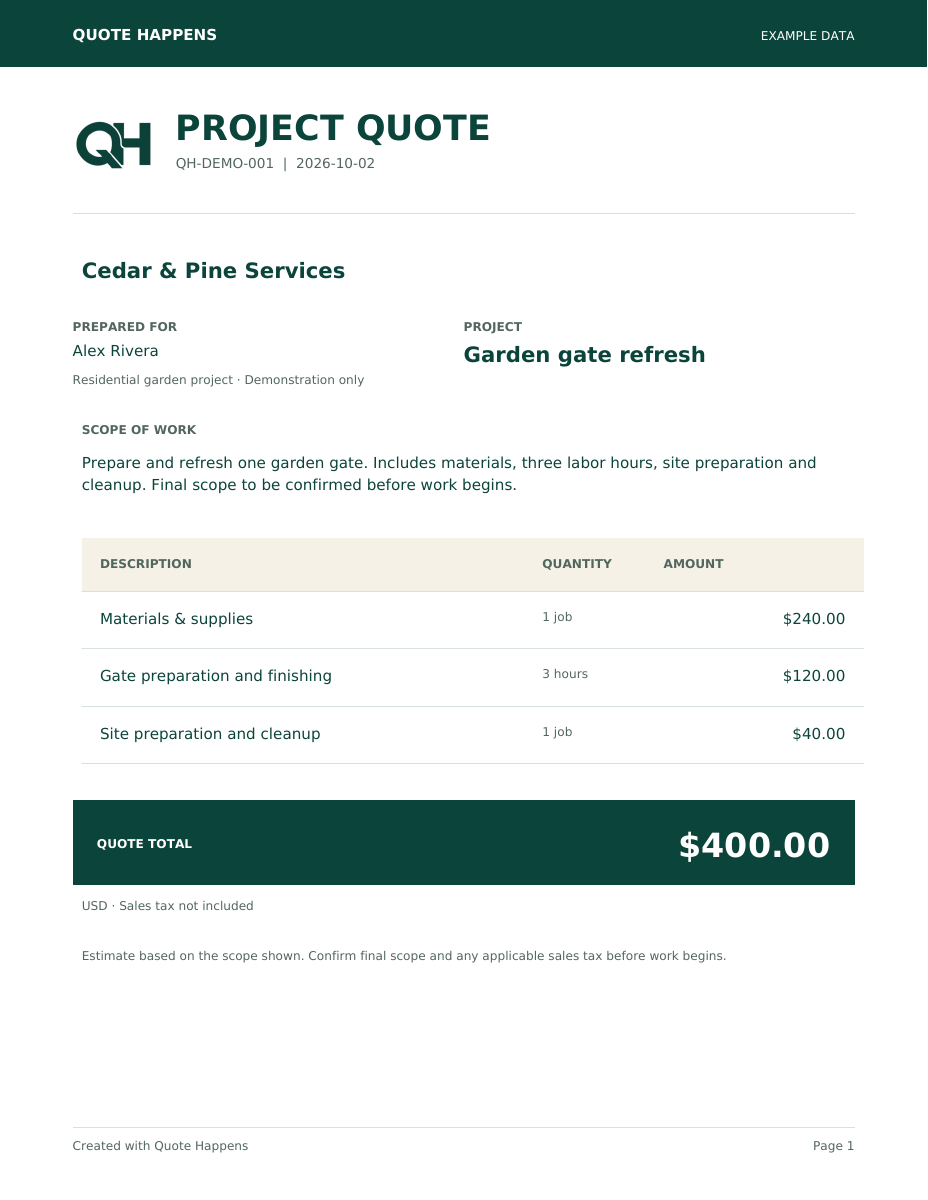
Uses the target price from the calculator above, before sales tax. Customer line prices are allocated proportionally; internal costs and profit stay out of the PDF. Review your calculator entries, descriptions and scope.
This is a separate purchase from the reusable English .xlsx template. Each purchase finalizes one quote. A new or changed quote needs a new purchase; downloading the same saved PDF again costs nothing extra.
Your unfinished quote is kept only in this browser tab for up to 24 hours, so a reload won’t erase it. Your license key is never saved. Keep this tab open during checkout.
Need help with your purchase? Contact support
CHECK AN EXISTING PRICE
Will your quote cover the job?
Enter a price to compare it with your costs and target.
WHAT YOUR $1 GETS YOU
One job-pricing template. Four useful sheets.
Download the English .xlsx job-pricing template once and reuse it for future jobs.
- Quick quote: turn job costs and a target margin into a price
- 100-row job tracker: keep costs, prices and profits together
- Client estimate: prepare a printable quote for your customer
- Getting-started guide: know what to enter and where
Copy your quote values into the tracker yourself. Sheets do not sync automatically.
one-time · no subscription
Buy English job-pricing template · $1 USDCheckout and file delivery by Payhip
The web calculator above is free. The $1 job-pricing template is optional.
English-language digital job-pricing template. Recalculation tested in LibreOffice; Microsoft Excel testing is still pending. Website language does not translate the template.
All sales final, except where refunds are required by law.
Quote Happens · Contact support
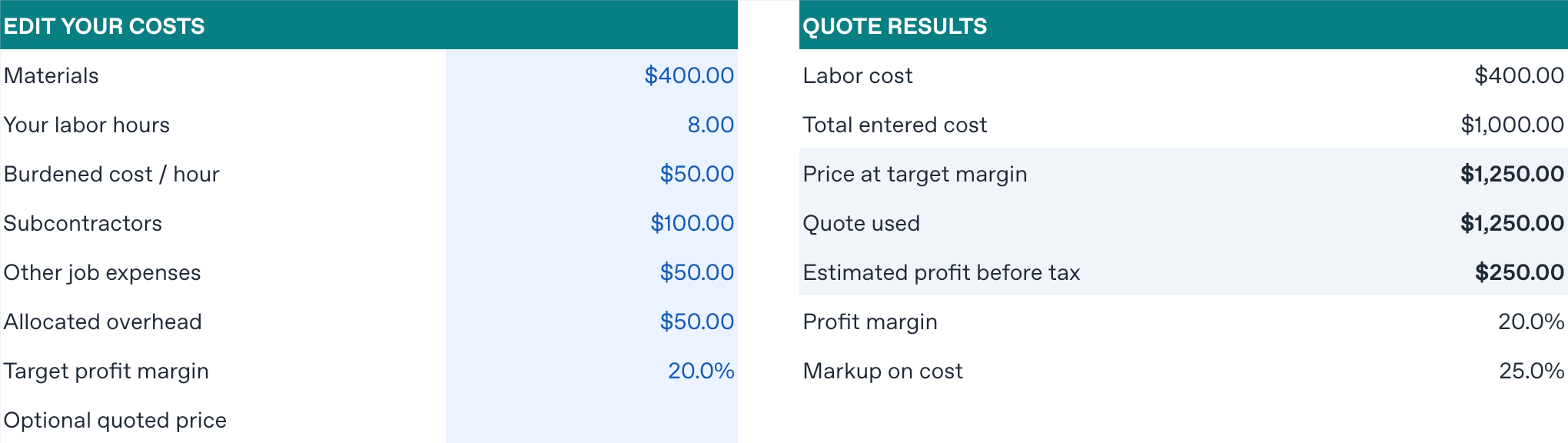
Calculator languages: English, Spanish, French, German, Portuguese, Arabic, Hindi, Simplified Chinese and Japanese. The job-pricing template is in English.
KNOW YOUR NUMBERS
Margin isn’t markup
A 25% margin means keeping 25 cents of each dollar charged after the costs entered. Adding 25% to your costs is a 25% markup, which gives a 20% margin.
With $450 in costs, a 25% margin gives a $600 quote and $150 estimated profit. Adding a 25% markup instead gives a $562.50 quote, $112.50 profit and a 20% margin. These figures are before tax.
What counts as total job cost?
Materials + (labor hours × hourly labor cost) + other costs and subcontractors + allocated overhead. Overhead is this job’s share of expenses such as insurance, tools, vehicle costs and administration. Count each expense only once.
How are profit and markup calculated?
Profit = price − total cost. Margin = profit ÷ price × 100. Markup = profit ÷ cost × 100. Profit per labor hour = profit ÷ entered labor hours. A zero denominator is shown as “—”. Target prices are rounded up to the next cent.
Does this include taxes, fees or a recommended margin?
No sales tax is added, and profit is before income tax. Include any applicable business costs in your inputs. Percentage-based payment fees need separate allowance. The example margin is illustrative, not a recommendation. Results are estimates based on your entries, not a guarantee of profit.
Are my numbers saved or sent anywhere?
The free calculator runs in your browser. An unfinished quote is kept only in this browser tab for up to 24 hours to recover from reloads; use “Remove saved draft” in the PDF form to erase it. Purchase license keys are never saved in browser storage. Finalizing a PDF sends the quote details and calculator inputs to the PDF service, verifies the key with Payhip, and privately stores the finished PDF for redownload. Your language preference is saved on this device. No analytics or advertising trackers have been added.